A GPS copilot that's wellness-minded.
Berth gets you there like any good GPS. What's different is that it also keeps an eye on the person driving. Here's how the wellness side actually works, and how to use it.
Where to find it
Open the You tab. The wellness tools live there, starting with Decompression. Tap it to open the Wellness Hub (Berth calls this layer Pulse).
- Drive Readiness — a one-line verdict before you start ("You're good to go"), built from the weather, your fuel or battery level, and how long you've been driving. Green means all clear, amber means something to watch, red means it may be safer to rest first.
- Daily check-in — a few seconds to tell Berth how you feel. On a rough day, break reminders come a little sooner.
- Break coach — watches how long you've been driving without a stop and nudges you toward a break, gently at first, more firmly the longer you go.
Decompression: four guided resets
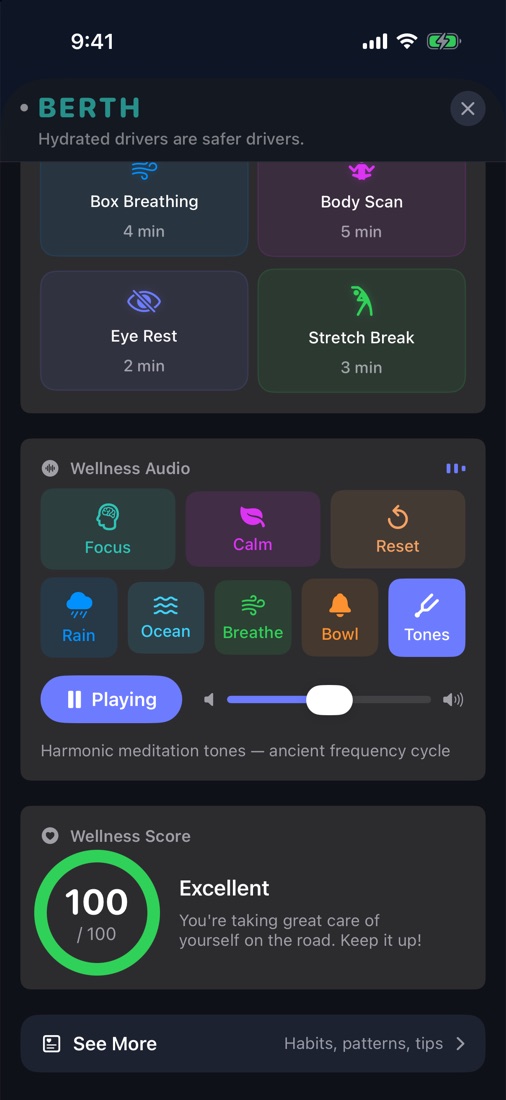
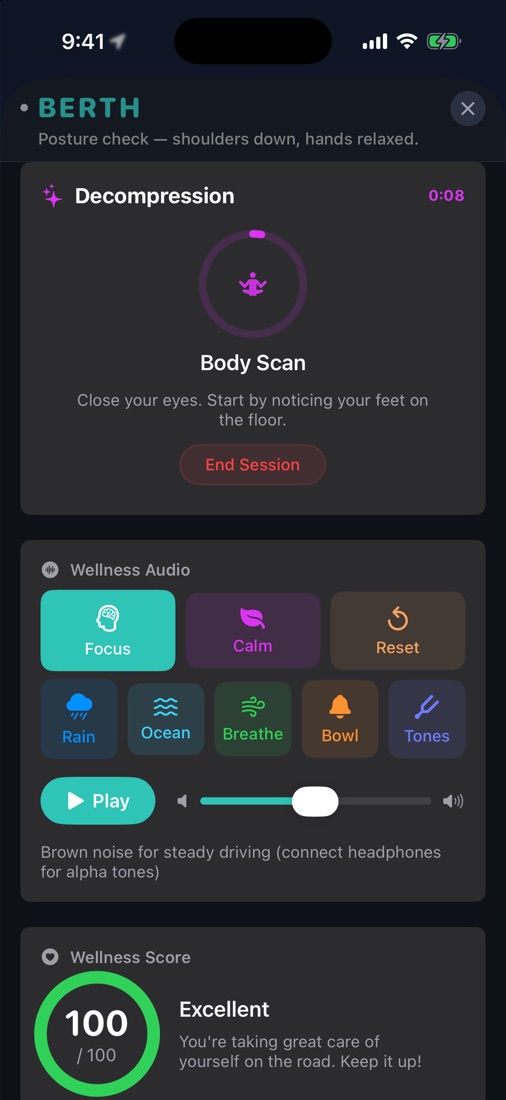
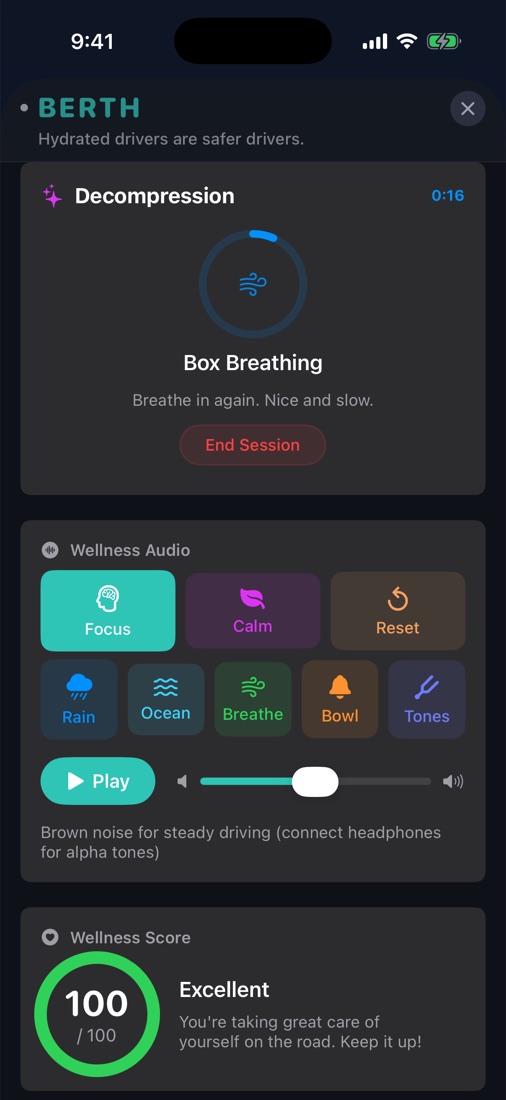
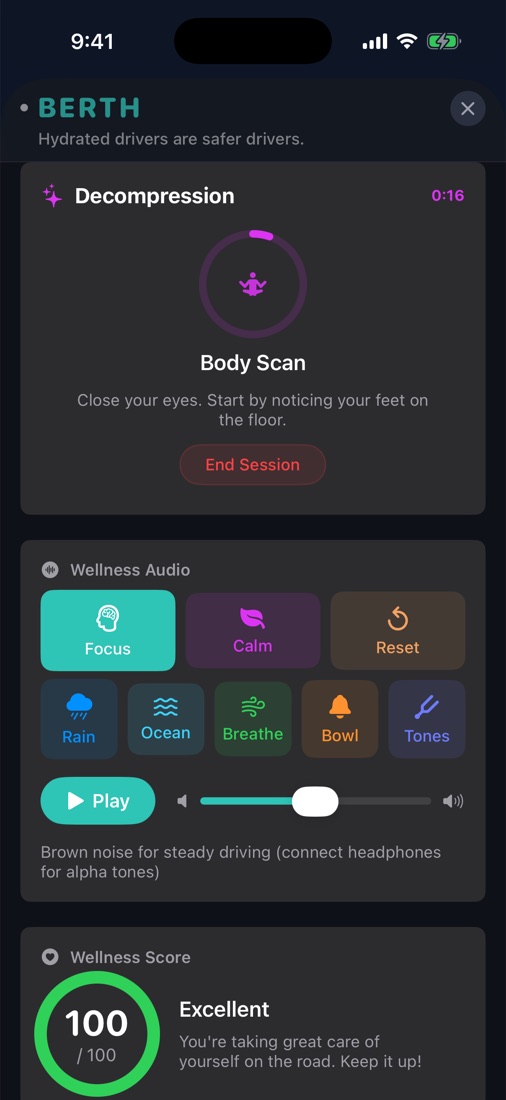
Short, voice-guided sessions for after a long drive or between jobs. Tap one, put the phone down, and follow the voice. A timer ring shows your progress, and you can end anytime. Everything runs on your phone, with no internet needed.
- Box Breathing (4 min) — breathe in for 4 seconds, hold 4, out 4, hold 4, and repeat. Berth talks you through the first rounds and checks in at one minute, halfway, and the end. A steady way to come down after an intense drive.
- Body Scan (5 min) — eyes closed, Berth walks your attention from your feet up to your forehead, letting each area go heavy and loose. Good when your shoulders and jaw have been locked up all shift.
- Eye Rest (2 min) — eyes closed, imagine a far-off horizon and let your eye muscles soften. Made for hours of staring at the road and the screen.
- Stretch Break (3 min) — neck rolls, shoulder shrugs, arm and wrist stretches, then stand and reach if you can. Gets the blood moving after sitting.
Berth suggests one after a long drive
After a drive of 30 minutes or more, Berth can suggest the reset that fits how the drive went, one tap to start or skip:
- Long, tiring drive — Box Breathing.
- Lots of hard braking or speed alerts — Body Scan, to let go of the tension you were carrying.
- Late-night driving — Eye Rest.
- Well-paced drive with breaks — a Stretch Break as a reward.
Wellness audio and tones
Background sound you can play while you drive or while you rest. It's all generated live on your phone, with no streaming and no data used. Pick a mode, press Play, and set the volume.
- Focus — light brown noise for steady driving. With headphones, it adds subtle alpha tones.
- Calm — deeper noise and slower ambient tones for a stressful stretch of road.
- Reset — soft ambient tones for recovering between rides.
- Rain and Ocean — rainfall and rolling waves. Rain sounds great through car speakers.
- Breathe — a breathing guide tone paced for 4-second box breathing.
- Bowl — singing-bowl chimes with a warm ambient bed.
- Tones — a meditation cycle through six classic tones (396, 417, 528, 639, 741 and 852 Hz), holding each for 30 seconds, so one full cycle takes about three minutes. Pure, clean tones with no noise underneath.
Tip: the binaural-style tones only work through headphones. Over car speakers Berth automatically drops them and plays just the noise and ambient layers, so it never sounds strange.